Click to start

3D Character Artist / Maya Tools / Game Art

Game Art Tech Lab

pipeline blog

My name is:

Bruce Huang

I'm a:

Senior 3D Character Artist Maya Tool Developer Game Art Pipeline Artist Podcast Host Currently working at a game studio in Canada

A portfolio hub for AAA character production, real-time hair, Maya plug-ins, personal games, tutorials, and creative technology notes.

Latest News

最新 News:AI 正在改变 3D / 游戏美术管线

2026-05-24 更新。这个板块会每周末更新一次,专门追踪 AI 在 3D 生成、实时渲染、资产生产、游戏关卡和角色流程里的新变化。

从 image-to-3D 到可交互 4D:本周最值得 3D 美术关注的四条技术线索

这期重点不是“AI 会不会替代建模”,而是看哪些技术已经开始靠近生产流程:输入图像生成可用 GLB/PBR、用文本生成带行为的 3D 对象、让 Gaussian Splatting 进入标准格式,以及把实景扫描内容更轻量地推到 Web 和游戏原型里。

阅读完整图文 开源 / GitHub 链接
Pixal3D:像素对齐的 image-to-3D

Tencent ARC Lab 与清华团队的 SIGGRAPH 2026 项目,把图像特征通过 back-projection 直接带入 3D 空间,目标是减少传统 image-to-3D 常见的轮廓漂移、比例不准和贴图错位。对角色/道具草模来说,它更像一个“概念图到可检查 3D 草稿”的方向。

Roblox Cube 4D:生成的不只是模型,而是带行为的对象

Roblox 在 2026 年 2 月开放 4D generation beta,重点是让玩家用 prompt 生成可驾驶、可飞行、可交互的对象。它提示了一个趋势:未来 game art 资产交付可能不只交 mesh,还要连同 schema、行为、碰撞和玩法参数一起进入管线。

glTF 的 Gaussian Splatting 扩展:3DGS 开始走向标准化

Khronos 发布 KHR_gaussian_splatting release candidate,让 Gaussian splats 可以被放进 glTF 生态里。对实时项目来说,这意味着扫描场景、复杂植被、半透明/反射材质的捕获内容,未来更容易在工具、引擎和 Web 之间传递。

SuperSplat:把 3DGS 编辑和发布放进浏览器

PlayCanvas 的 SuperSplat 是开源浏览器编辑器,可检查、优化、发布 3D Gaussian Splats。它适合做作品集里的实景场景展示、游戏气氛原型,或者把扫描空间快速变成可浏览的交互 Demo。

Full Article

完整图文:这一轮 AI 3D 技术,真正值得盯的是“资产可用性”

回到摘要
Pixal3D official generated mesh sample
Pixal3D 官方示例:从单张图像生成可检查的 3D mesh / PBR 资产。
TencentARC Pixal3D GitHub repository preview
Pixal3D 已公开 GitHub 仓库,适合本地测试和二次流程验证。
PlayCanvas SuperSplat GitHub repository preview
SuperSplat 是开源 3D Gaussian Splatting 浏览器编辑器。

1. 生成 3D 不再只看“像不像”,而是看能不能进入管线

Pixal3D 的价值不只是生成一个漂亮预览,而是把图像特征提升到 3D 空间,目标是让 geometry、silhouette、PBR texture 更稳定。对游戏美术来说,可以把它当作快速 blockout 或概念验证:先生成 GLB,再进 Blender / Maya 检查比例、拓扑垃圾、UV、贴图分辨率和法线方向。

2. Roblox Cube 4D 把“资产”扩展成“带行为的对象”

传统模型交付通常是 mesh、材质、动画和碰撞分开处理。Roblox 的 4D generation 把交互行为也纳入生成目标:例如可飞行、可驾驶、可响应玩家的对象。它对个人网站内容的启发是:以后分享 AI 工具时,不只要展示结果图,还要写清楚这个工具能不能生成碰撞、动画、逻辑和可控参数。

3. Gaussian Splatting 的关键变化是 glTF 标准化

Khronos 的 KHR_gaussian_splatting release candidate 说明 3DGS 正在从“研究展示格式”走向“可互通资产格式”。如果扫描空间、角色展示场景、道具陈列空间能被装进 glTF 生态,未来在 Web、实时引擎、数字孪生和作品集展示之间迁移会更轻。

4. SuperSplat 可以作为作品集里的轻量 3DGS 工具

SuperSplat 的优势是开源、浏览器编辑、方便发布。它适合做一个小实验:扫描一个桌面/工作室角落,清理 splat,导出并嵌入网站,形成“照片级空间 + 作品讲解”的展示方式。

AI Video / Depth / Prompts

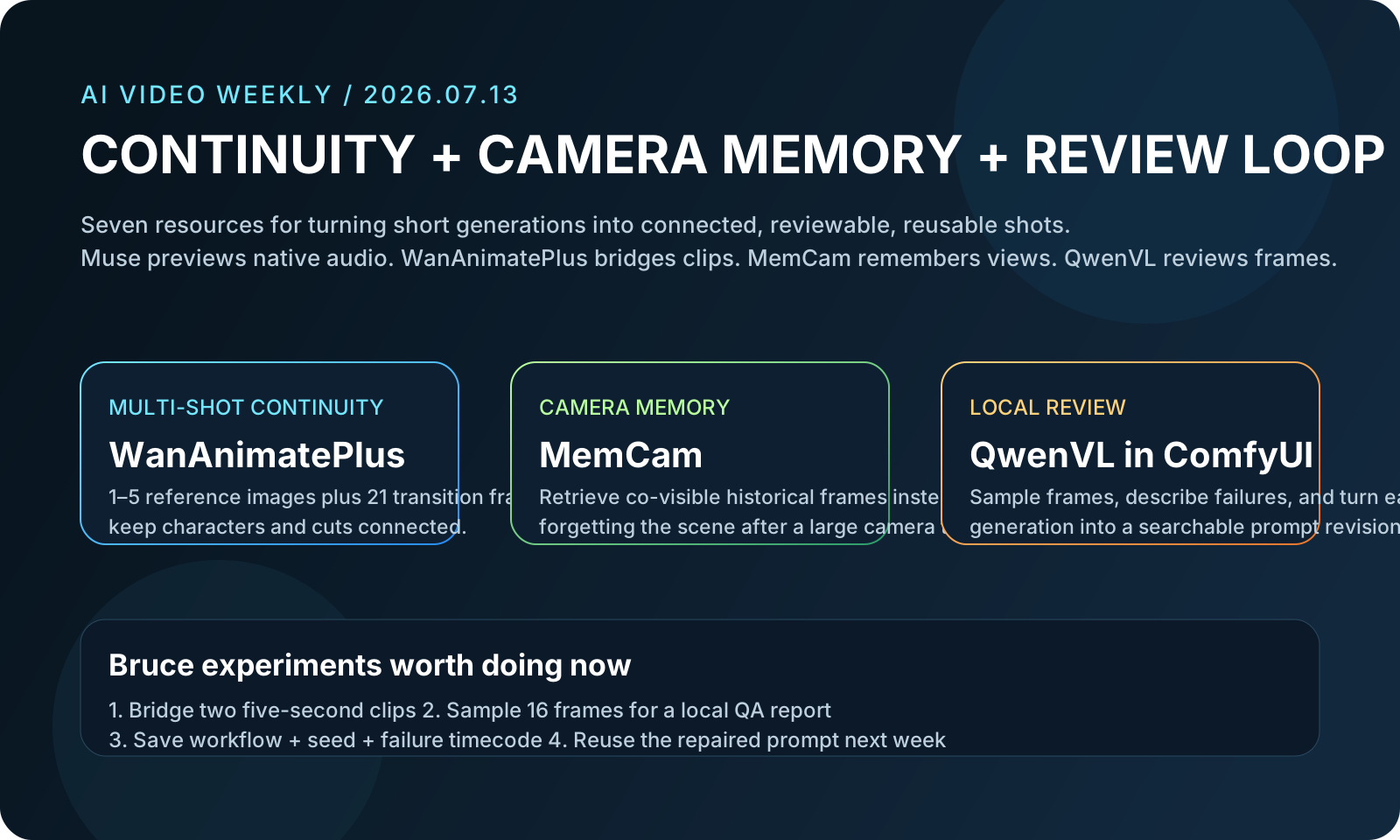
AI 影像 / 视频生成:开源项目、深度图、镜头控制和提示词资源

2026-05-24 更新。这个模块不局限 3D,专门收集 AI 视频生成、深度图、镜头运动控制、ComfyUI 工作流、ChatGPT / GPT 提示词和 GitHub 开源资源。

从 Wan2.1 到 Video Depth Anything:视频生成开始进入“可控镜头 + 可复用流程”阶段

这一类内容最适合服务个人创作:用开源视频模型生成概念镜头,用深度图和 camera control 稳住空间运动,再用结构化 prompt 和 ComfyUI workflow 固化成可重复的实验流程。

阅读完整图文 开源资源清单

Full Article

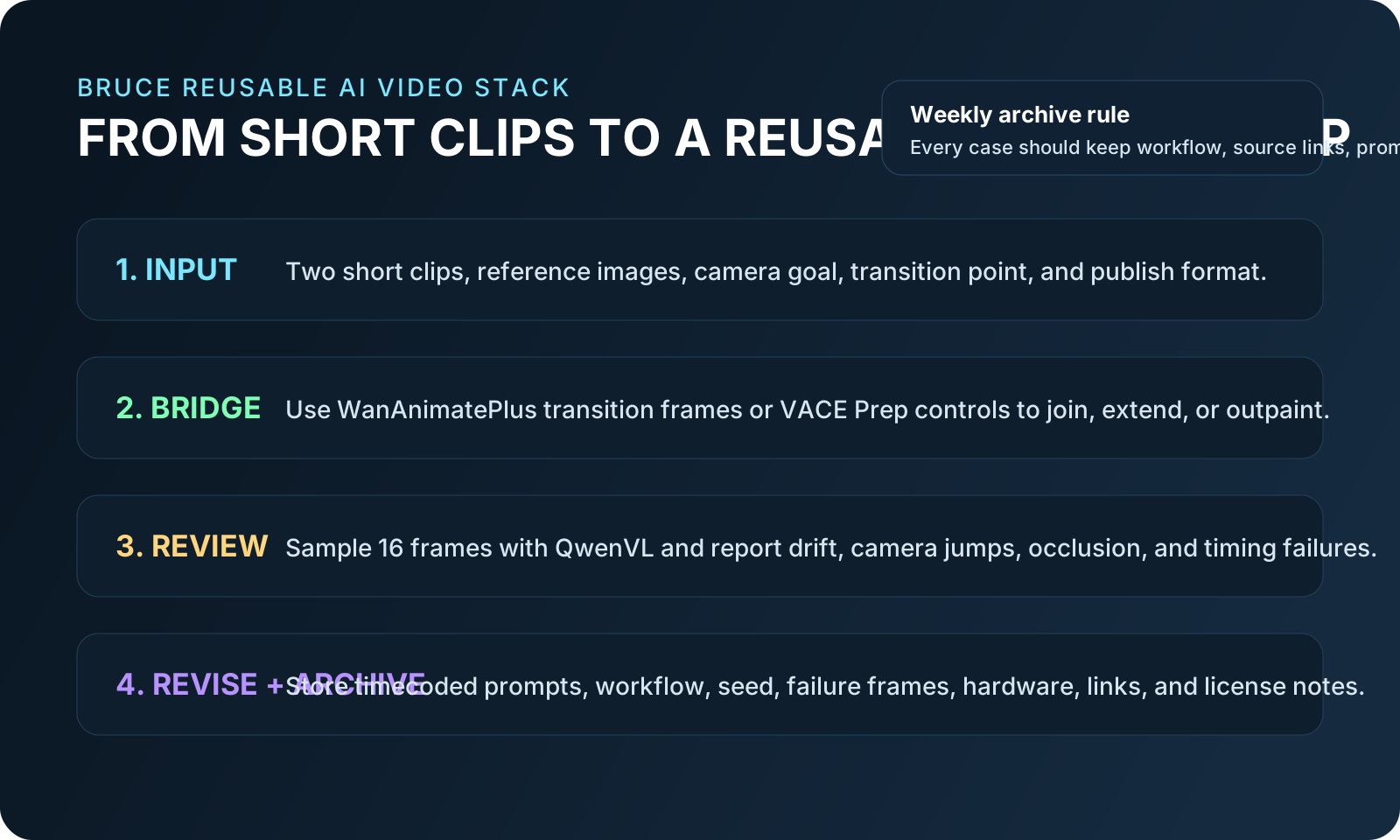
完整图文:AI 视频工作流可以拆成四层

回到摘要
01 Prompt / 参考图

结构化描述主体、动作、镜头、光线、风格和限制。

02 Video Model

Wan2.1 / LTX-Video / ComfyUI 生成初始镜头。

03 Depth / Camera Control

用深度图、轨迹、pose 或 control model 稳定空间运动。

04 Editing / Website Share

挑选片段、写技术拆解、保存 workflow 和资源链接。

Text / Image to Video Wan2.1 local model + ComfyUI workflow
视频生成底座:先看能不能本地复现、能不能接进 workflow,而不是只看官网 demo。
Depth Map Video Depth Anything stable depth for moving shots
深度图视觉更容易理解:它负责把平面视频重新拆成空间层级,方便后期和镜头加工。
Camera Control Push / Orbit / Pan turn camera language into controls
镜头控制是 AI 视频从随机短片走向可导演画面的关键。

1. 视频生成底座:优先记录模型、分辨率、帧数和显存成本

分享 AI 视频工具时,不只写“效果很好”。更有价值的是写清楚模型版本、输入类型、分辨率、帧数、运行方式、是否本地可跑、是否支持商用许可,以及输出后还需要哪些补帧、去闪、剪辑和调色步骤。

2. 深度图:让 AI 视频可以做二次加工

深度图能把平面视频拆成空间层级,适合做 parallax、镜头推进、雾效遮罩、景深、合成和后期控制。Video Depth Anything 这类项目可以把“生成完的视频”重新变成“可处理的素材”。
3. 镜头控制:把 cinematic language 写进流程

未来每篇视频生成分享都可以固定记录镜头语言:push in、pull back、orbit、dolly、crane、handheld、pan、tilt。这样读者不只看到结果,还能知道怎么复现镜头。
4. 提示词资源:收集模板,不收集玄学

GPT / ChatGPT prompt 仓库可以作为模板来源,但真正适合网站分享的是“可复用结构”:输入素材、角色动作、镜头路径、风格参考、技术限制、输出格式和失败案例。

Latest Plugins

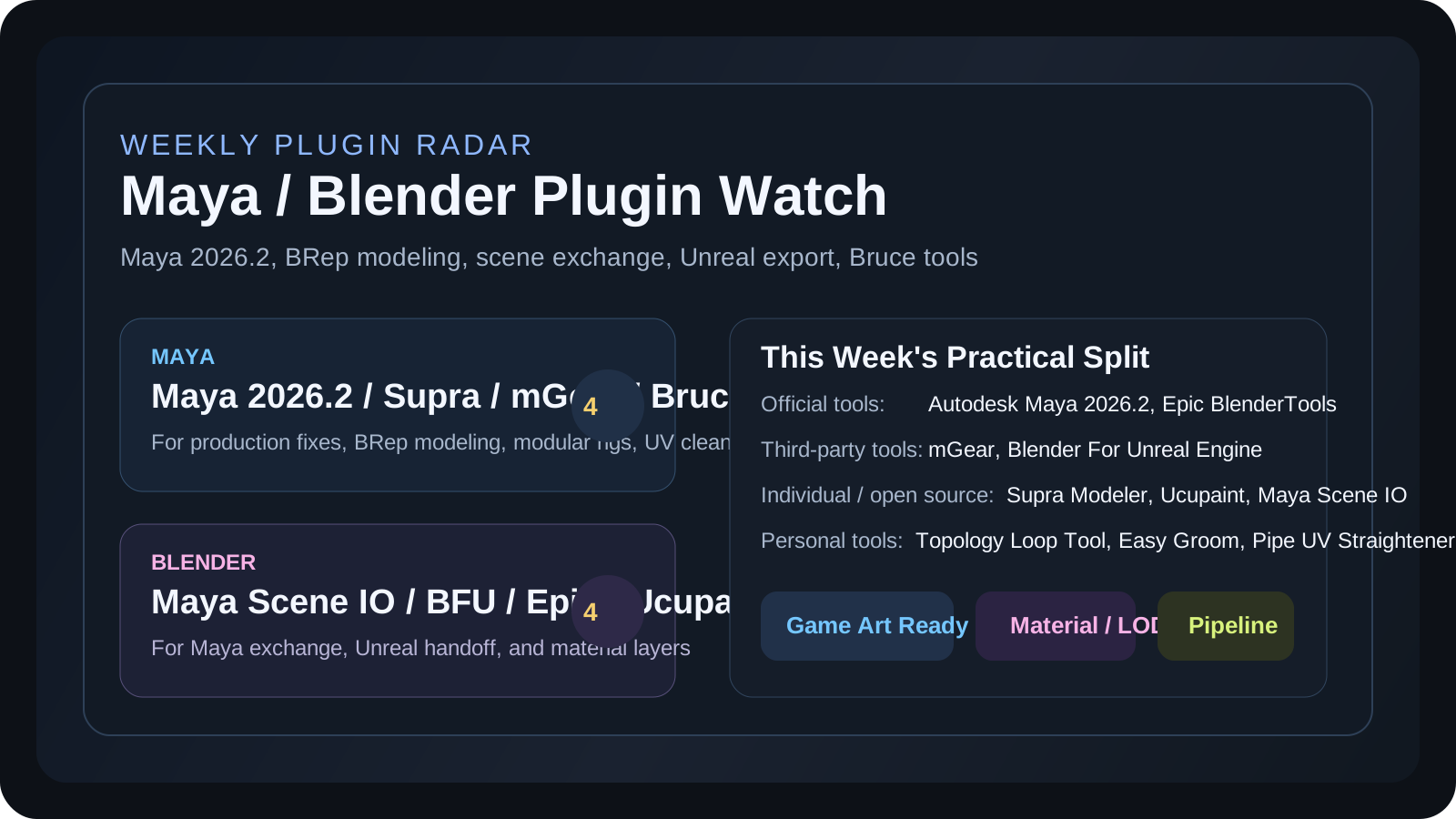
最新插件:Maya / Blender 工具分开看

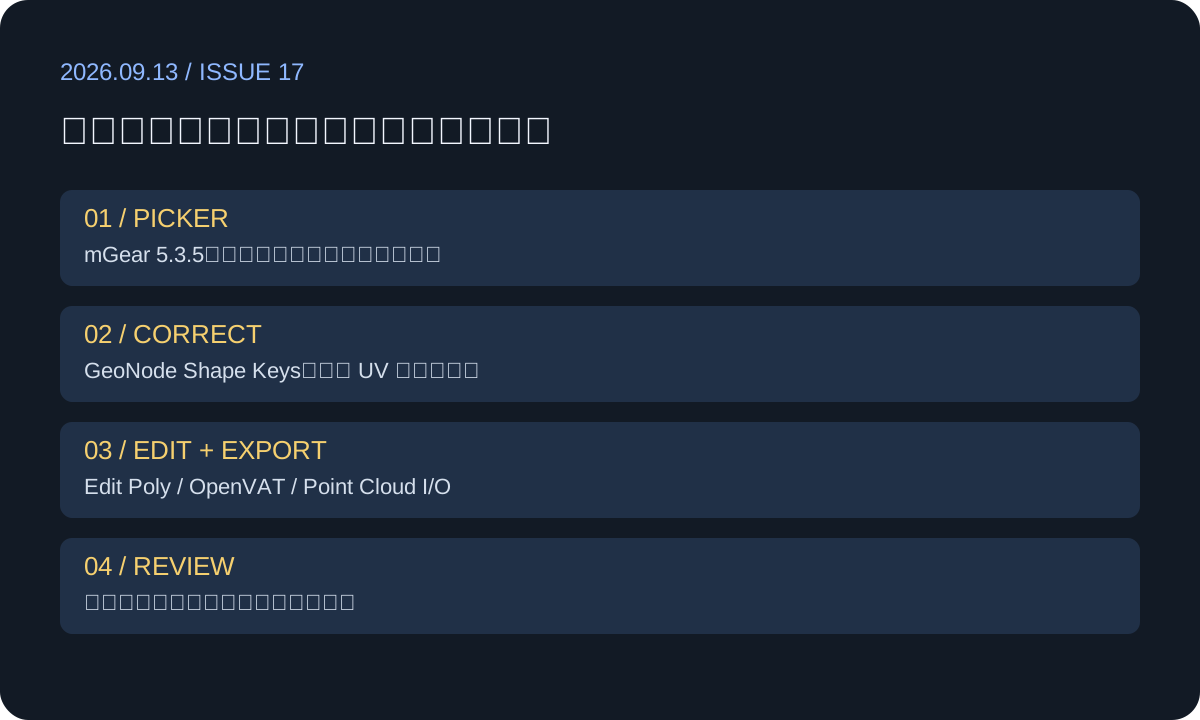
2026-05-24 更新。这个板块每周末更新一次,专门收集 Maya 与 Blender 里对游戏美术、角色绑定、拓扑、LOD、材质和实时引擎管线有用的新插件。

阅读插件图文 Bruce 的 Maya 工具

Maya:绑定、表情检查、云端重拓扑

UZURIG2 Rigging Plugin

面向游戏开发的模块化 Maya 绑定系统,2026-05-11 更新到 v2.9.15,支持 Maya 2023-2027。亮点是基于现有骨架搭控制器、FK 骨骼动画转控制器动画、MetaHuman/Echo 模板,对角色绑定和动画清理很实用。

查看 UZURIG2
Flow Retopology for Maya 1.3

Maya 2026 已包含的云端重拓扑工具,每月可提交 50 个 job。适合把 ZBrush 高模、扫描件或 AI 生成 mesh 先快速整理成更容易编辑的拓扑,再决定是否手工精修。

查看 Autodesk 说明
BlendShape Monitor 1.0

Johnson Lee 发布的 Maya blendshape 诊断插件,用实时热力图显示形变影响范围。它不负责制作表情,而是帮助排查 corrective morph、FACS target、肩膀/面部重叠形变这些容易藏问题的地方。

查看介绍

Blender:材质、LOD、实时动画导出

Substance 3D Add-on 2.0

Adobe 在 2026-05-01 更新 Blender Substance 插件 2.0,重构插件架构,强调更好的性能和材质集成。对做角色皮肤、布料、道具磨损和程序材质迭代很值得关注。

查看 release notes
LOD Architect

2026-05-11 在 Epic Developer Community 发布的 Blender LOD 工具,面向游戏管线,可批量生成 LOD chain,保留 UV、处理 normal transfer,并提供 Unreal / Unity / Godot 导出预设。

查看 LOD Architect
OpenVAT

Blender 原生 Vertex Animation Texture 工具,把 Geometry Nodes、modifier、shape key 或模拟形变烘成贴图,让 Unreal / Unity / Godot 用低成本 shader 播放复杂形变。适合大量实例、布料/软体假模拟和风格化变形。

查看 OpenVAT

Video Demo

OpenVAT:Blender 到实时引擎的 VAT 流程

这个视频位先放 OpenVAT 的公开教程入口,后续每周如果插件有更直接的官方 demo,会替换成当周最相关的视频。

Full Article

完整图文:Maya / Blender 插件要分成官方、第三方和个人工具三类来看

回到摘要
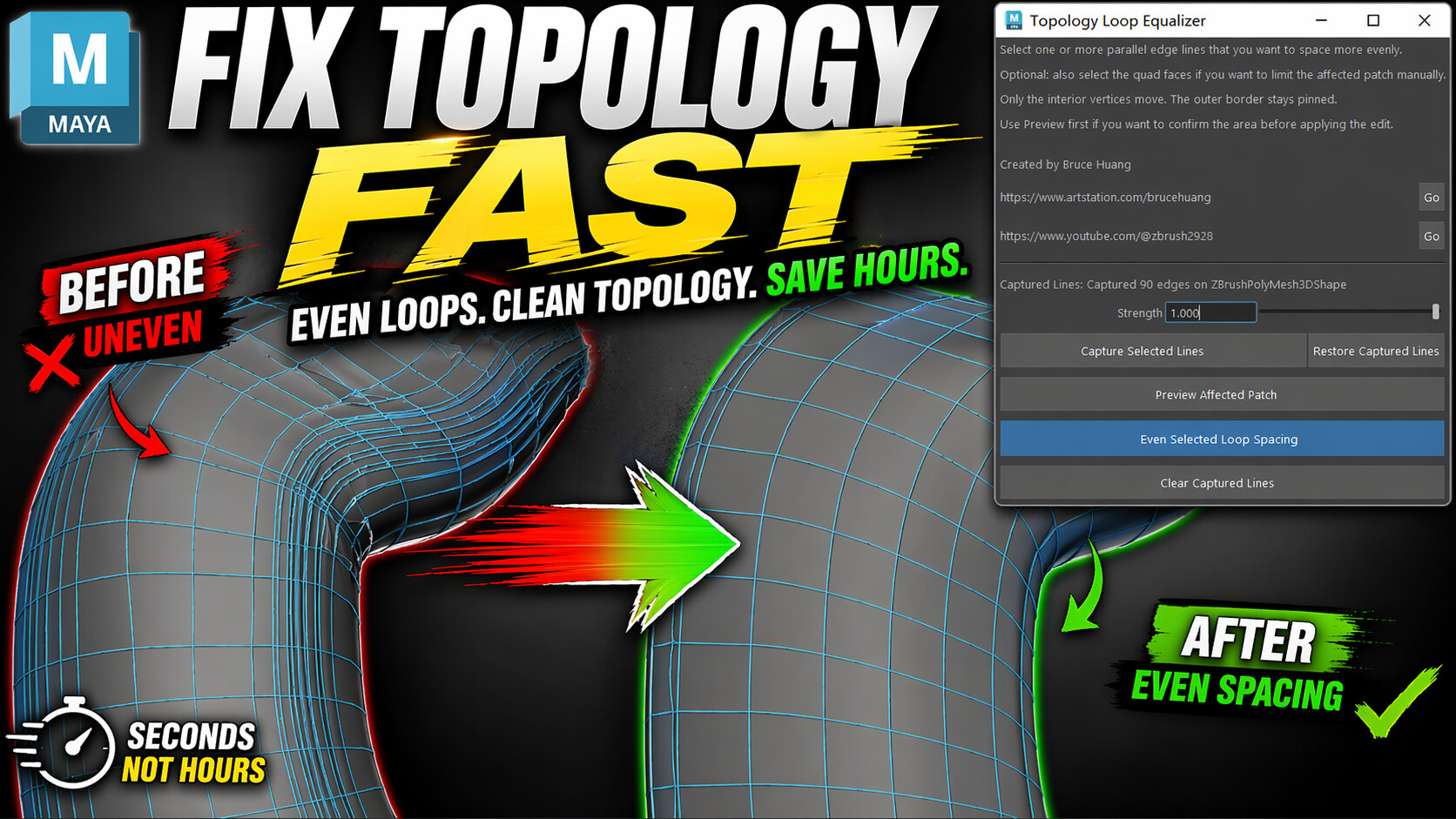
Fix Uneven Topology in Seconds Maya plugin preview
Bruce 自己开发:Topology Loop Tool,用来快速整理不均匀的拓扑线 spacing。
Easy Groom Maya feather and hair card plugin preview
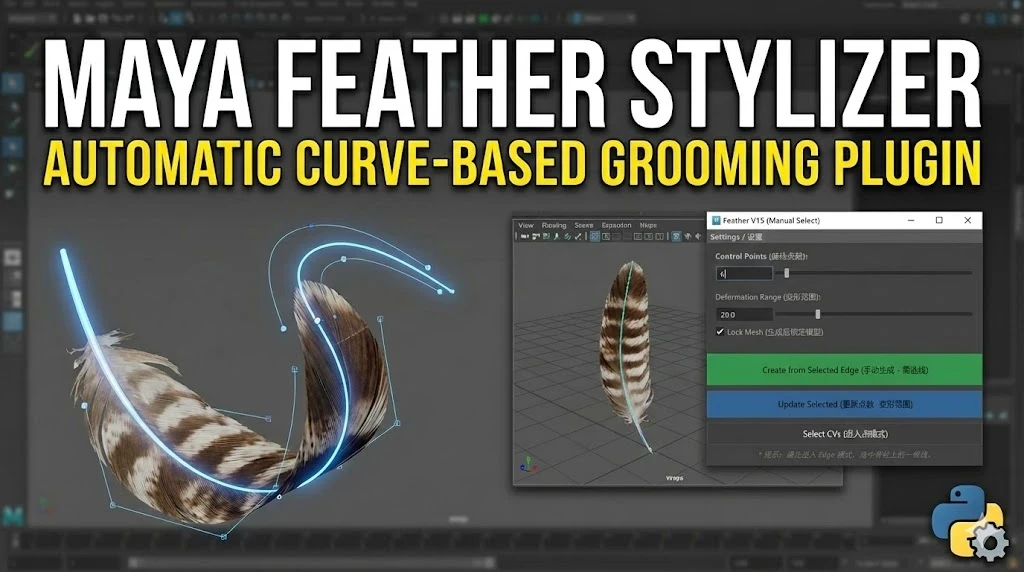
Bruce 自己开发:Easy Groom,面向羽毛、发片和角色毛发卡片流程。
Maya UV Straightening Plugin preview
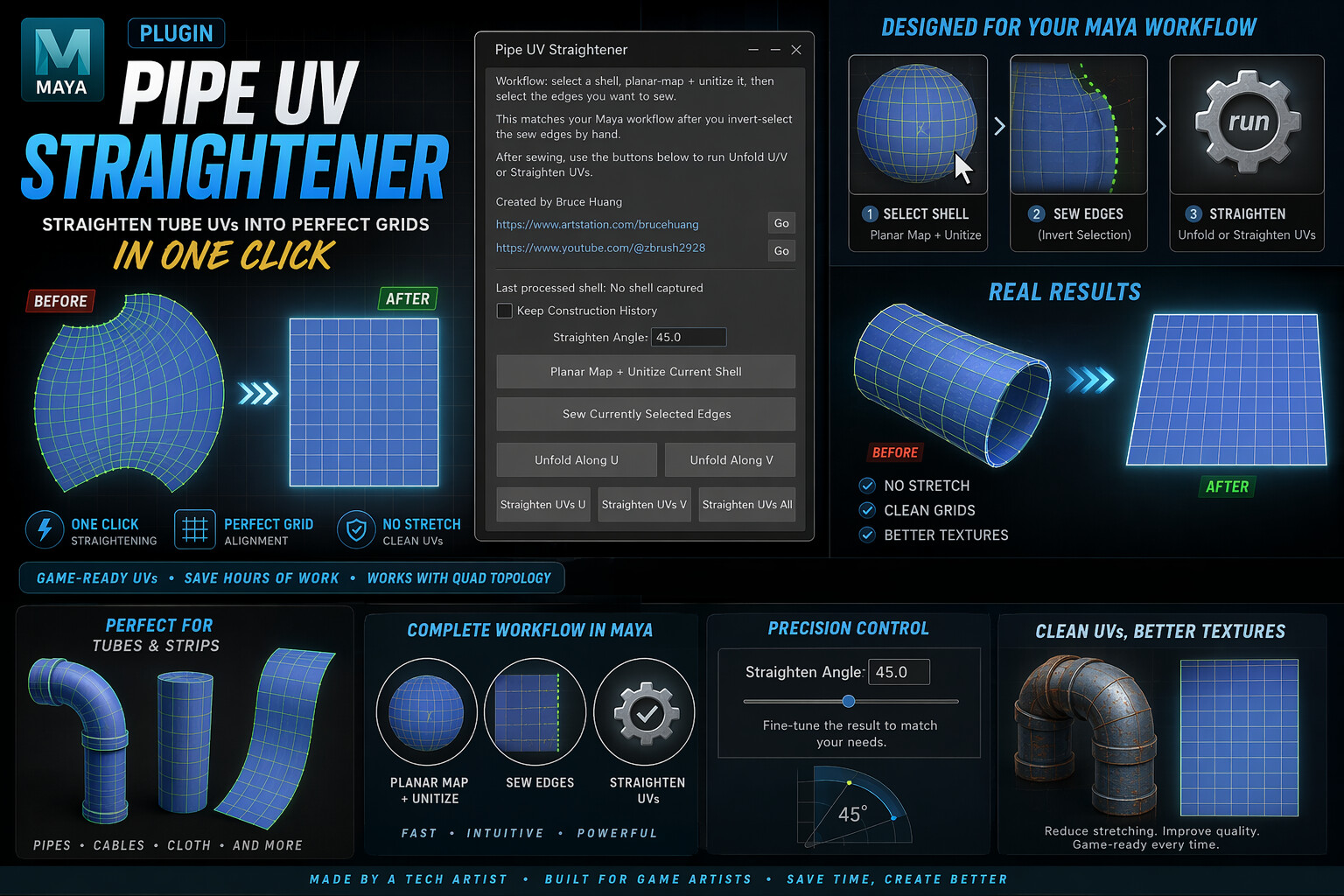
Bruce 自己开发:Pipe UV Straightener,把管状 UV 快速整理成矩形网格。

Bruce Tool Demo

Easy Groom:Maya 羽毛 / Hair Card 工具演示

插件分享文章里不只放外部工具,也会把你自己的工具放进“第三方 / 个人开发”分类,配视频、图片、功能说明和购买/演示链接。

1. 官方工具:看稳定性和版本兼容

Autodesk Flow Retopology 这类官方工具适合作为稳定流程的一部分,重点检查 Maya 版本、云端 job 限制、输出拓扑质量和是否适合批量处理高模 / 扫描件 / AI 生成 mesh。

2. 第三方工具:看是否解决明确痛点

UZURIG2、BlendShape Monitor、LOD Architect、OpenVAT 这类第三方工具,评价重点不是“功能多”,而是它有没有解决绑定、表情检查、LOD、VAT 导出这些具体生产问题。

3. 个人开发工具:把你的插件当成案例拆解

你自己的 Maya 工具可以在文章里作为“真实生产问题 -> 脚本/插件方案 -> demo 视频 -> 购买/下载入口”的案例。这样它既是分享,也是产品页的导流入口。

4. 每周插件文章固定结构

以后每篇插件文章都按:适用对象、解决问题、核心功能、图片/视频、官方链接、第三方链接、开源/GitHub、价格/许可、风险限制、Bruce 测试建议来写。

Blender Free Resources

Blender 每周免费资源:模型、材质、HDRI、节点和工作流

2026-05-24 更新。这个模块和 Blender 插件分享放在同一组内容里,但不只推荐插件,也会每周整理可直接用于 Blender 学习、作品集、场景搭建和游戏资产预研的免费资源。

阅读资源图文 免费资源链接 查看通用 3D 免费资源

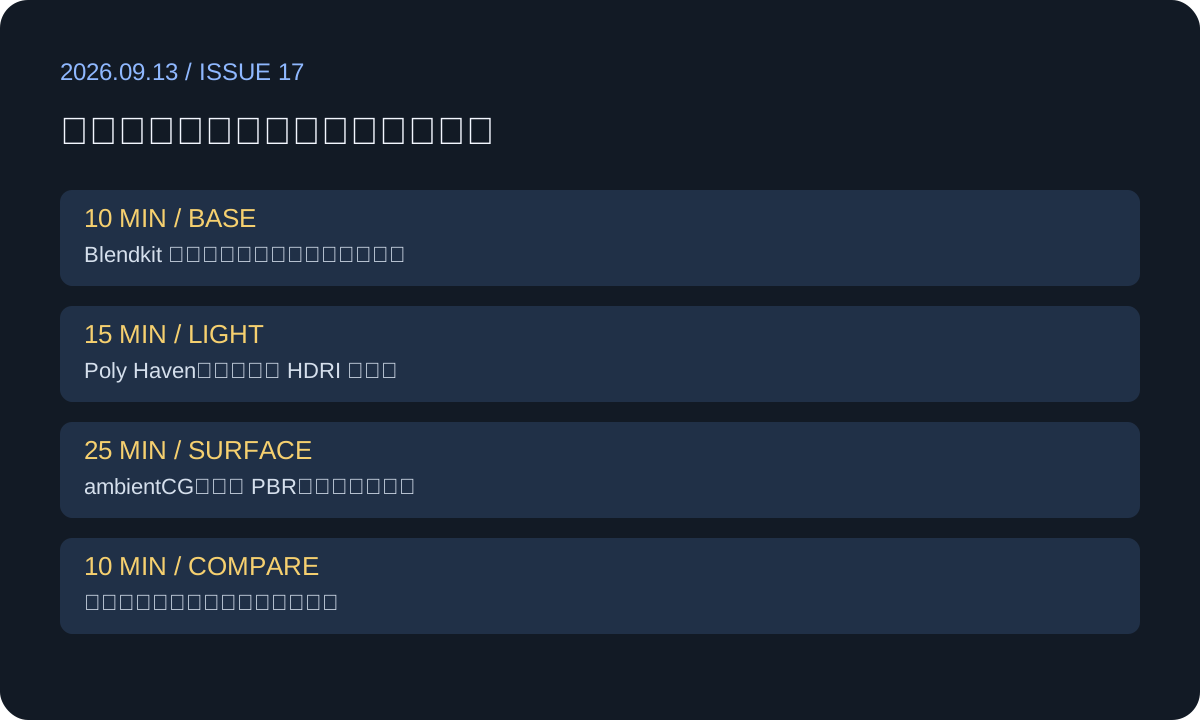
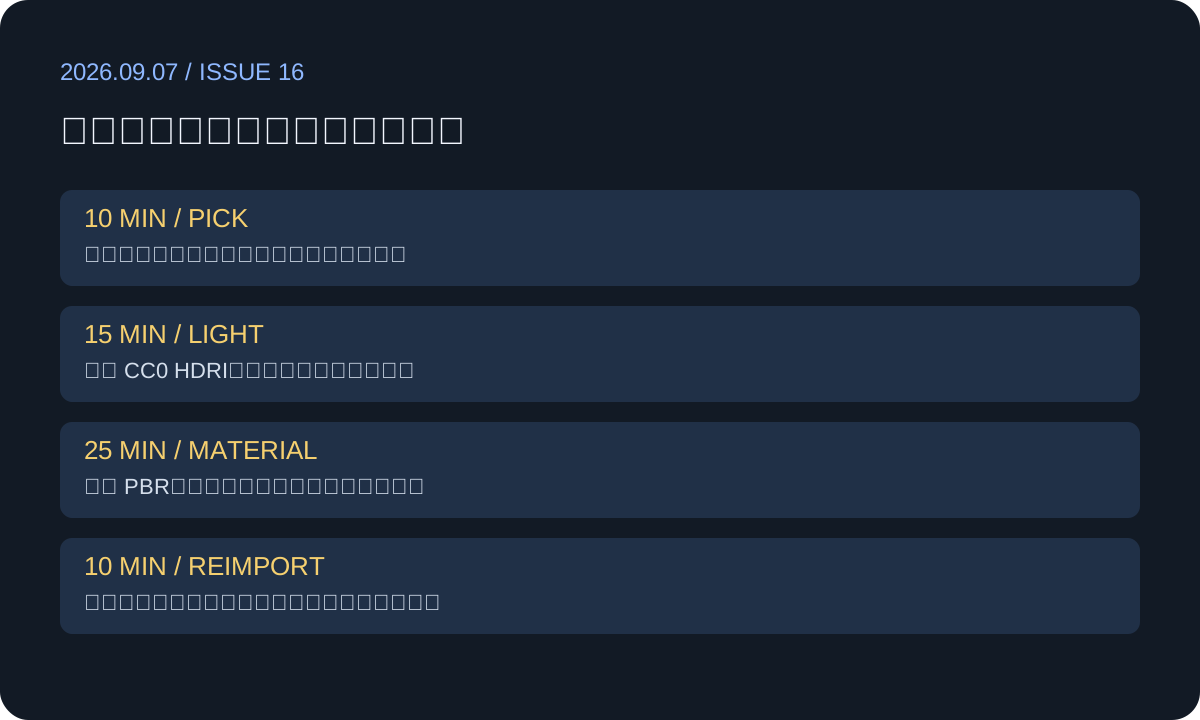
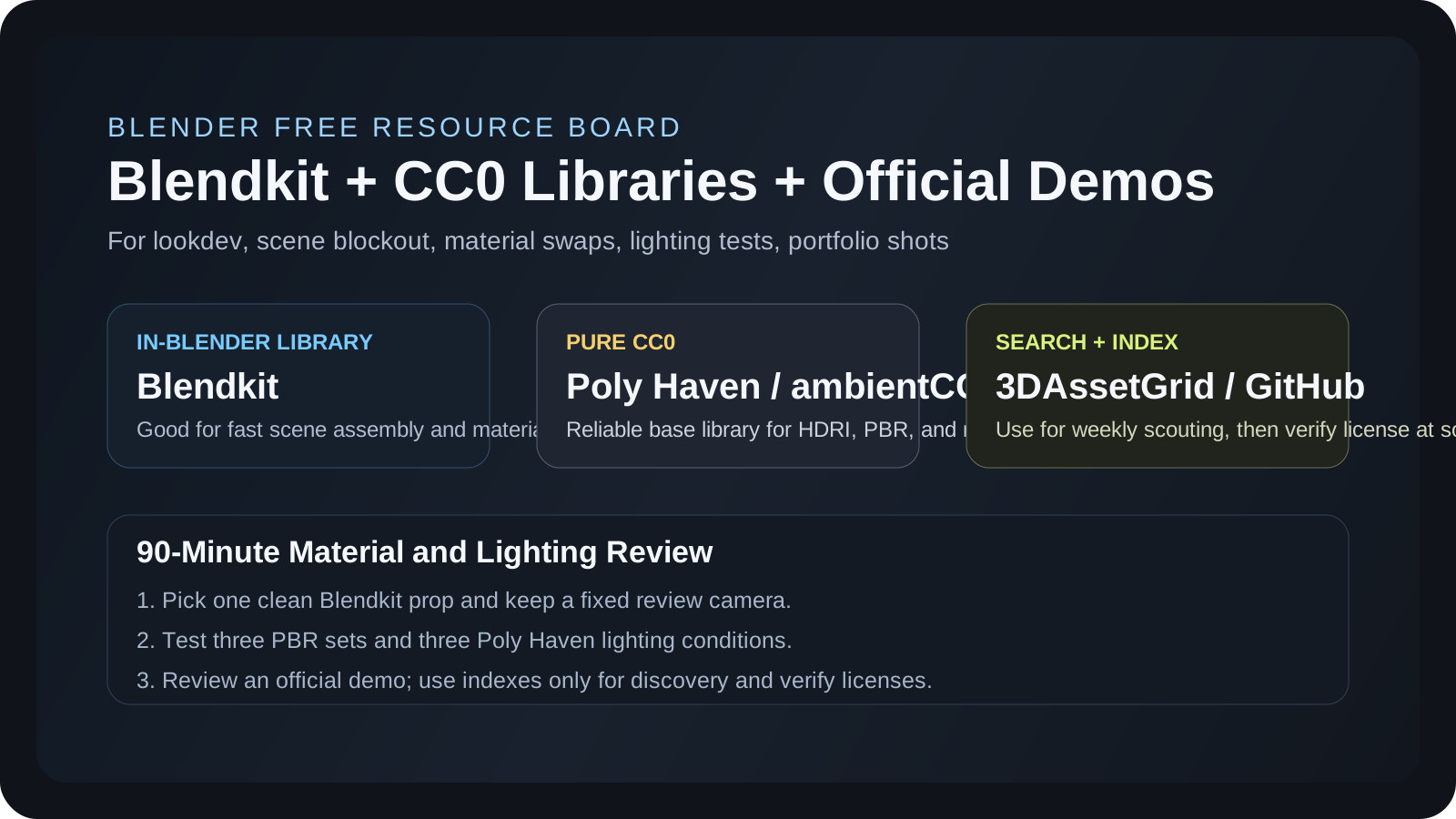
本周先建立“长期可用”的免费资源底库:模型、PBR、HDRI 和 CC0 素材

免费资源分享不能只追热点,还要能长期复用。这个模块会优先整理许可清楚、可商用或可学习使用、下载入口稳定、适合 Blender 工作流的资源。

BlenderKit:Blender 内直接搜索模型/材质/HDRI

适合快速搭场景、找材质、做预览和练习。免费资源很多,但下载前仍要看具体资源授权和是否为免费项。

Poly Haven:CC0 HDRI、材质、模型

适合角色渲染灯光、环境贴图、基础 props 和材质测试。优点是 CC0、质量稳定、可商用。

ambientCG:免费 PBR 材质和模型

适合硬表面、建筑、地面、墙面、布料和环境材质积累。做 Blender / Unreal 材质练习很好用。

awesome-cc0:跨站点 CC0 素材索引

适合做“资源导航”。每周可以从这里筛选一组适合角色、场景、游戏原型的免费资产。

Full Article

完整图文:Blender 免费资源要按“资产类型 + 许可 + 使用场景”整理

回到摘要
01 找资源

模型、HDRI、PBR、节点、demo scene 分开收藏。

02 查许可

优先 CC0 / 明确可商用;不清楚的只用于学习。

03 进 Blender

检查比例、贴图路径、材质节点和资产命名。

04 写分享

附来源、用途、截图、限制和推荐工作流。

Models BlenderKit 模型 / 材质 / HDRI / brush / scene
适合在 Blender 里快速搜索和拖入资源,做概念场景和作品集预览。
CC0 Poly Haven HDRI / texture / model
适合建立长期可商用的灯光和 PBR 资源库。
awesome-cc0 GitHub repository preview
awesome-cc0 是一个 GitHub 免费公共领域资源索引,可作为每周筛选入口。

Free 3D Resources

3D 免费资源周报:Fab / Unreal、免费模型、贴图、动画和游戏资产

2026-05-24 更新。这个模块专门做总的 3D 免费资源更新:Unreal / Fab 限免内容、免费模型、CC0 材质、动画库、游戏原型素材和可商用资源入口。

阅读资源图文 资源链接清单 返回 Blender 免费资源

本周先把可长期追踪的免费资源入口建立起来

这类周报每次会筛选几类资源:Fab / Unreal 限免、CC0 贴图和 HDRI、免费游戏资产、角色动画、可下载模型。每条资源都要附链接、许可提醒和适合用在什么项目里。

Fab Free Content:Unreal / Unity / 3D 模型限免入口

Fab 官方提供限时免费内容,适合每周检查。下载前要看 license、引擎版本、资产格式和是否只适合 Unreal。

Kenney:游戏原型素材

适合做快速玩法验证、UI、图标、低多边形/2D/3D 原型资产。对个人游戏 demo 很友好。

Mixamo:角色动作和快速绑定

适合给角色测试 idle、walk、run、attack 等基础动画,快速验证比例和动作感觉。

Poly Haven / ambientCG:通用 CC0 资产底库

这两个站可以作为每周固定检查项:材质、HDRI、props、自然物件都适合整理到个人资产库。

Full Article

完整图文:免费资源不能只下载,要做成可复用资产库

回到摘要
Fab Limited-time Free Unreal / Unity / UEFN / 3D assets
Fab 是每周/每月检查限免内容的主要入口,重点看格式、许可和适配引擎。
Game Dev Kenney Assets UI / icons / 2D / 3D prototypes
Kenney 适合快速做玩法 demo、UI mockup 和低成本原型验证。
Animation Mixamo Auto-rig / character animation
Mixamo 适合给角色快速套动作,检查节奏、比例和动画展示效果。

1. 限免资源:先保存,再分类

Fab 的免费内容经常是限时的。每周文章最好记录资产名、作者、格式、适用引擎、授权说明和适合的项目类型,避免以后下载了却不知道怎么用。

2. CC0 资源:适合做长期底库

Poly Haven、ambientCG、awesome-cc0 这类资源更适合长期积累。它们不一定“新”,但很适合每周精选一个主题,比如岩石、木头、废墟、室内灯光、角色展示台。

3. 游戏原型资源:优先看可快速落地

Kenney 这类资源适合快速做玩法验证。网站分享时可以写“这个资源适合做什么小游戏/原型”,让读者马上知道使用方向。

4. 动画资源:要测试角色比例和骨架

Mixamo 动作很方便,但导入 Maya/Blender/Unreal 后仍需要检查骨架、root motion、脚滑、手部穿插和动作节奏。

56 Astrocade game prototypes
85 podcast episodes
500+ LinkedIn connections
2026 Portfolio refreshed

YouTube / zbrush2928

Tutorials, plug-in demos, and workflow analysis

A curated entry point for your YouTube channel: Maya tools, ZBrush/Maya/Blender tutorials, AI workflow tests, and long-form production series.

500+ YouTube videos
4 content categories
Open YouTube Channel

Library

Works, plug-ins, and technical notes

Pipeline Notes

Maya plug-ins and technical products

01

TOPOLOGY LOOP TOOL

A Maya topology spacing tool that evens out selected loop lines while preserving the surface, useful for character and hard-surface cleanup.

02

Pipe UV Straightener

A one-click UV straightening utility for pipe-like assets, turning distorted tube UVs into cleaner grid layouts.

03

Easy Groom

A Maya Python tool for feather and hair-card workflows, ideal for documenting game character grooming pipelines.

04

Maya Batch Rename Tool

A batch renaming utility for organizing Maya scene nodes and keeping production assets clean.

Paid Plug-in

Fix Uneven Topology in Seconds

ArtStation checkout

A Maya loop spacing tool for evening out selected topology lines while preserving the original surface shape.

USD $5 International ArtStation product page

English and French visitors can buy through ArtStation; Chinese visitors can buy through Xianyu and receive the Baidu Netdisk link after payment.

Fix Uneven Topology in Seconds product preview
Language-based purchase link English and French use ArtStation. Chinese uses Xianyu, with Baidu Netdisk delivery after payment.

Paid Plug-in

Easy Groom: Feather & Hair Card Tool for Maya

ArtStation checkout

A Maya Python script for feather and hair-card styling. English visitors buy through ArtStation; Chinese visitors can switch language for Xianyu.

USD $5 International ArtStation product page

English and French visitors can buy through ArtStation; Chinese visitors can buy through Xianyu and receive the Baidu Netdisk link after payment.

Easy Groom Feather and Hair Card Tool product preview
Language-based purchase link English and French use ArtStation. Chinese uses Xianyu, with Baidu Netdisk delivery after payment.

Paid Plug-in

Maya UV Straightening Plugin

ArtStation checkout

Turn tube-like UV shells into clean rectangular grids in one click for pipes, cables, cloth strips, and hard-surface assets.

USD $5 International ArtStation product page

English and French visitors can buy through ArtStation; Chinese visitors can buy through Xianyu and receive the Baidu Netdisk link after payment.

Maya UV Straightening Plugin product preview
Language-based purchase link English and French use ArtStation. Chinese uses Xianyu, with Baidu Netdisk delivery after payment.

Paid Plug-in

Maya Batch Rename Tool

ArtStation checkout

A compact Maya utility for batch renaming scene nodes with prefixes, suffixes, numbering, and keyword cleanup.

USD $5 International ArtStation product page

English and French visitors can buy through ArtStation; Chinese visitors can buy through Xianyu and receive the Baidu Netdisk link after payment.

Maya Batch Rename Tool product preview
Language-based purchase link English and French use ArtStation. Chinese uses Xianyu, with Baidu Netdisk delivery after payment.

Free Resource Library

Personal resource sharing

A curated area for original or clearly authorized free files. Resources from Baidu Netdisk will be sorted here only after copyright checks.

Sharing rule

Only original files, self-made examples, public-domain materials, or resources with clear redistribution permission will be published.

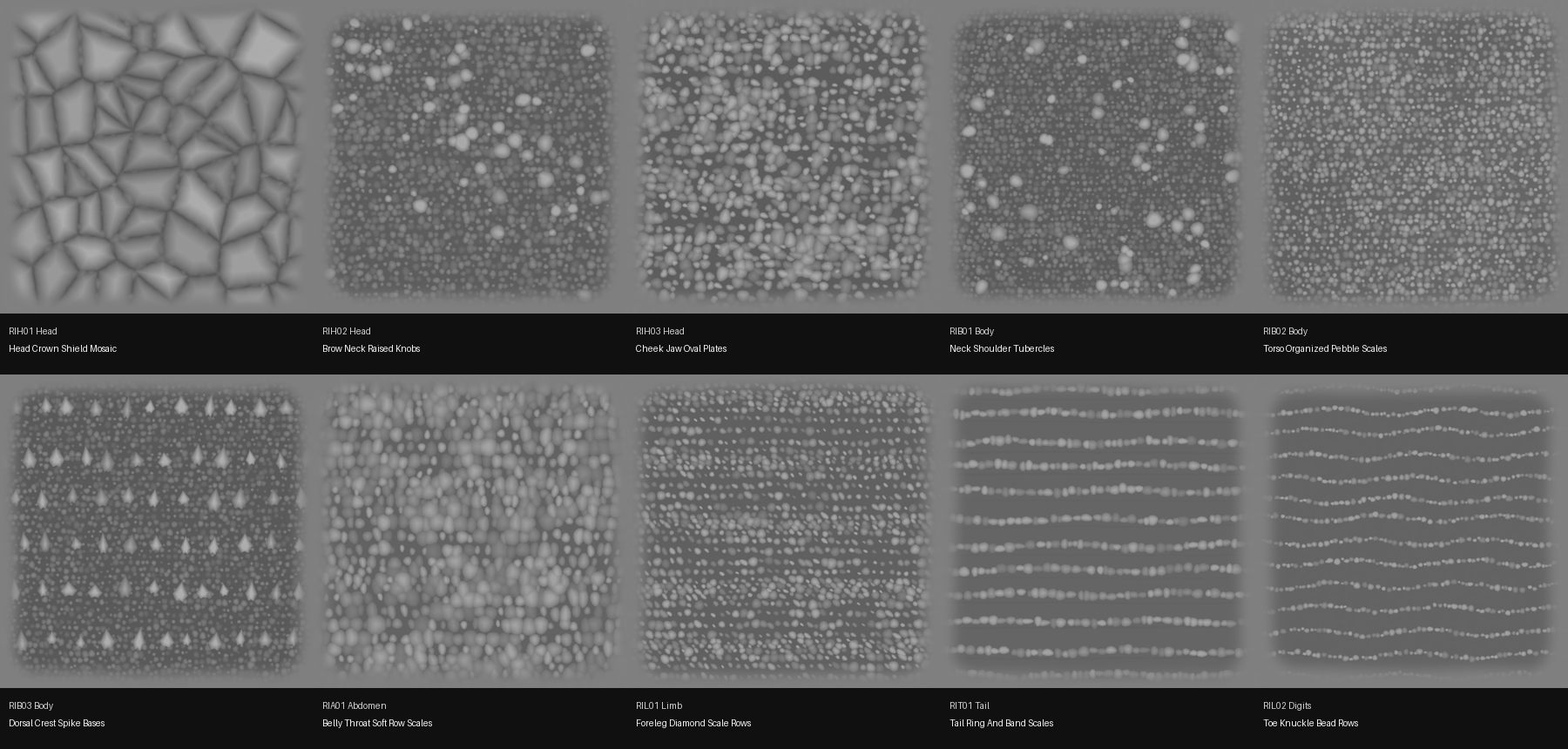
我最近做了一套红鬣蜥皮肤 ZBrush Alpha,现在免费分享

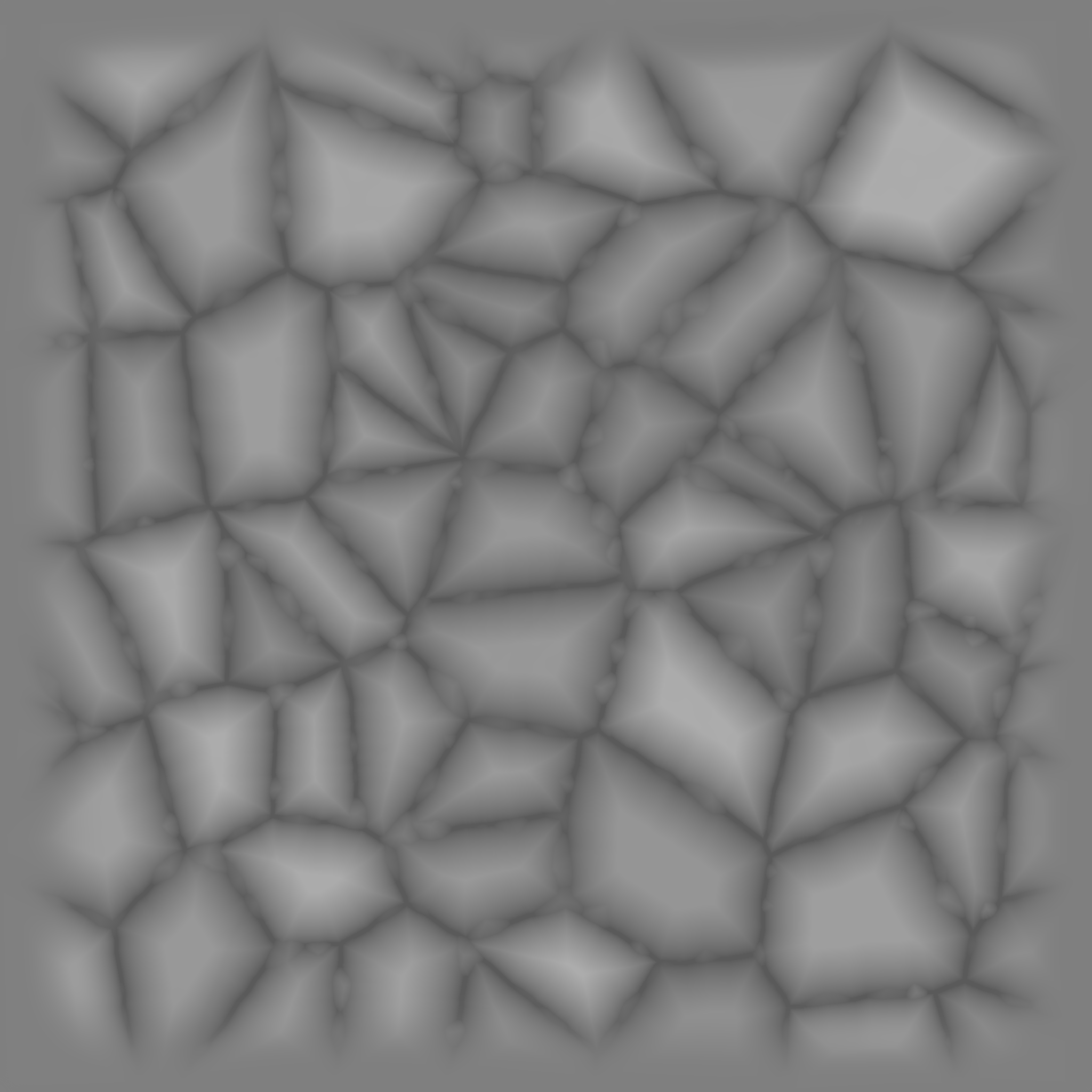
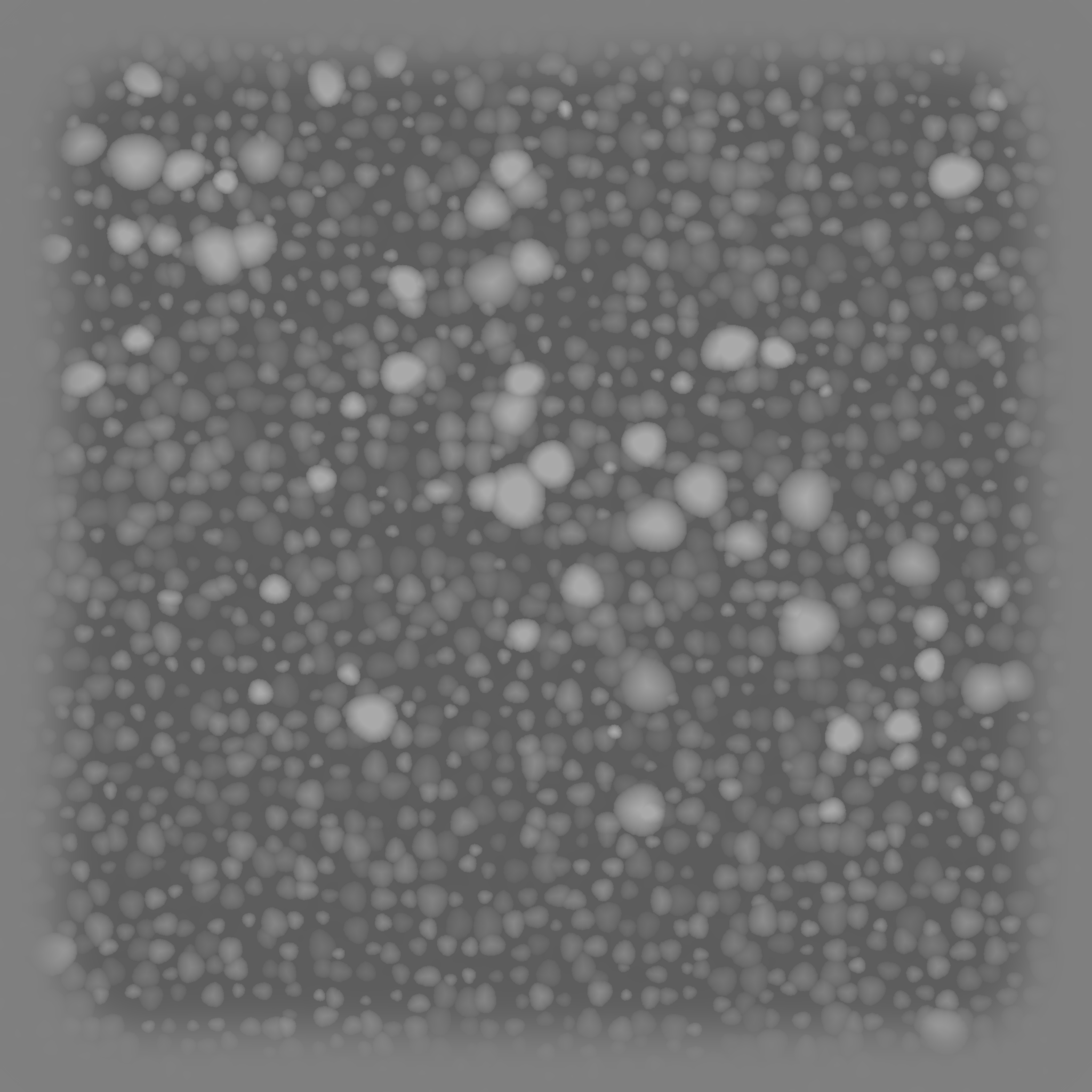
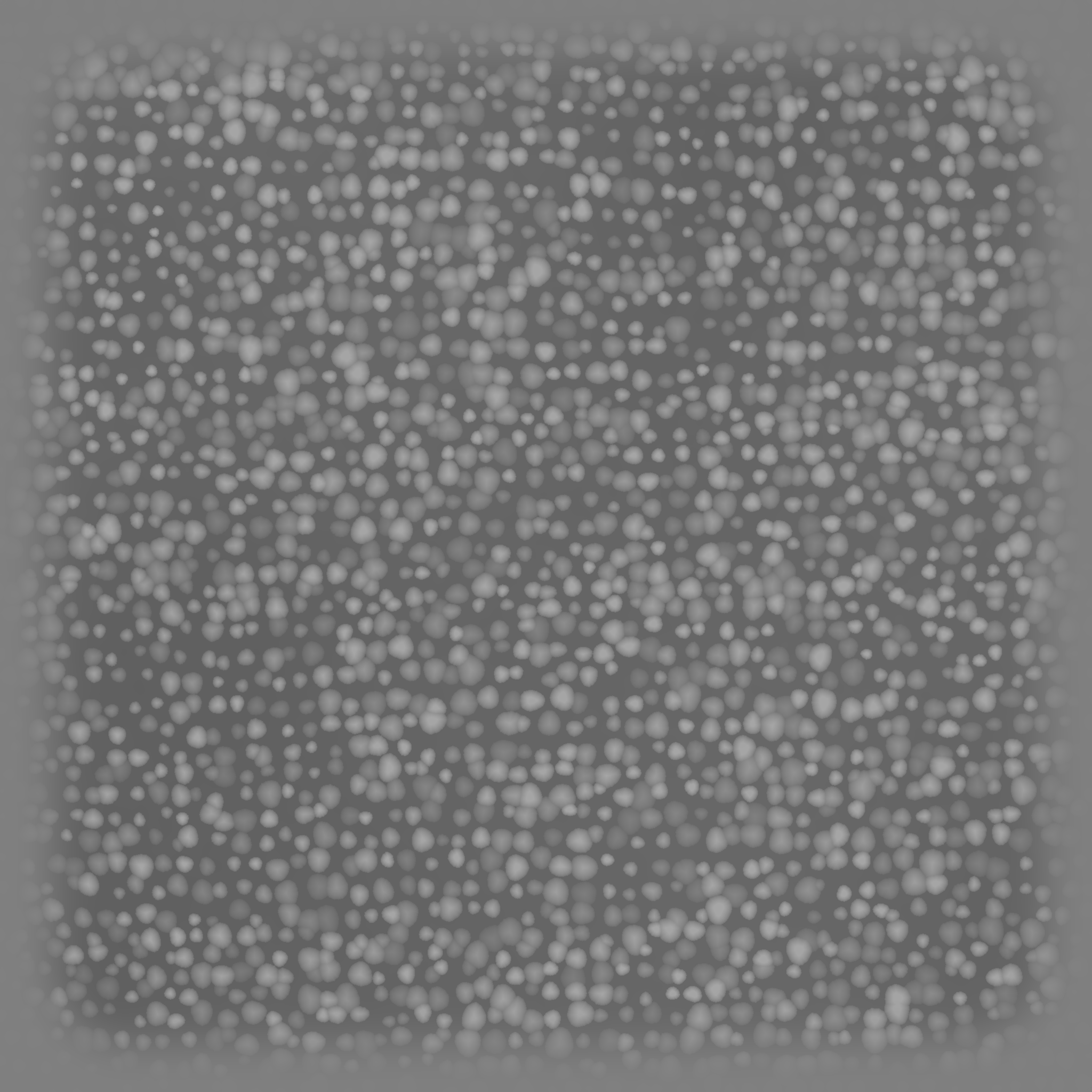
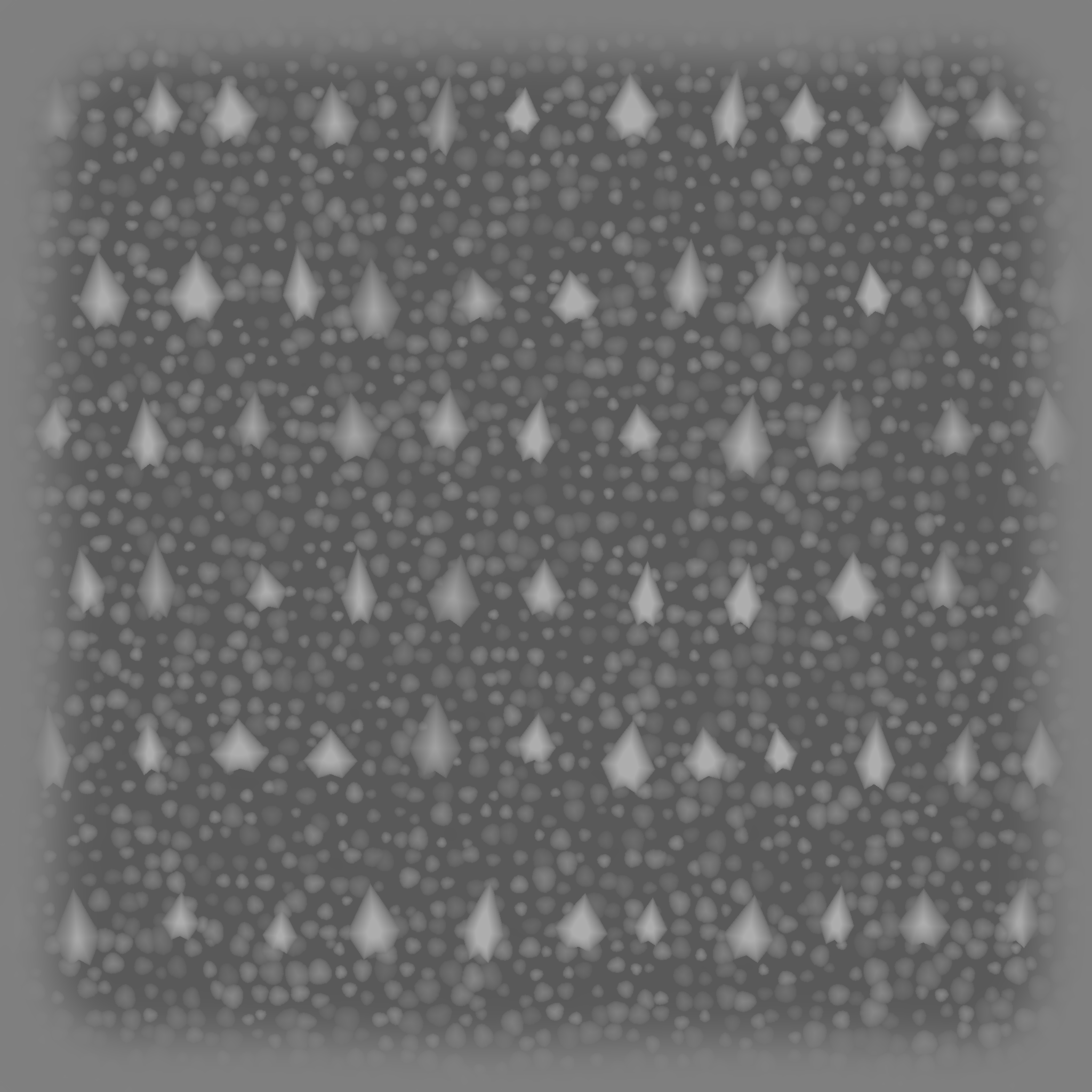
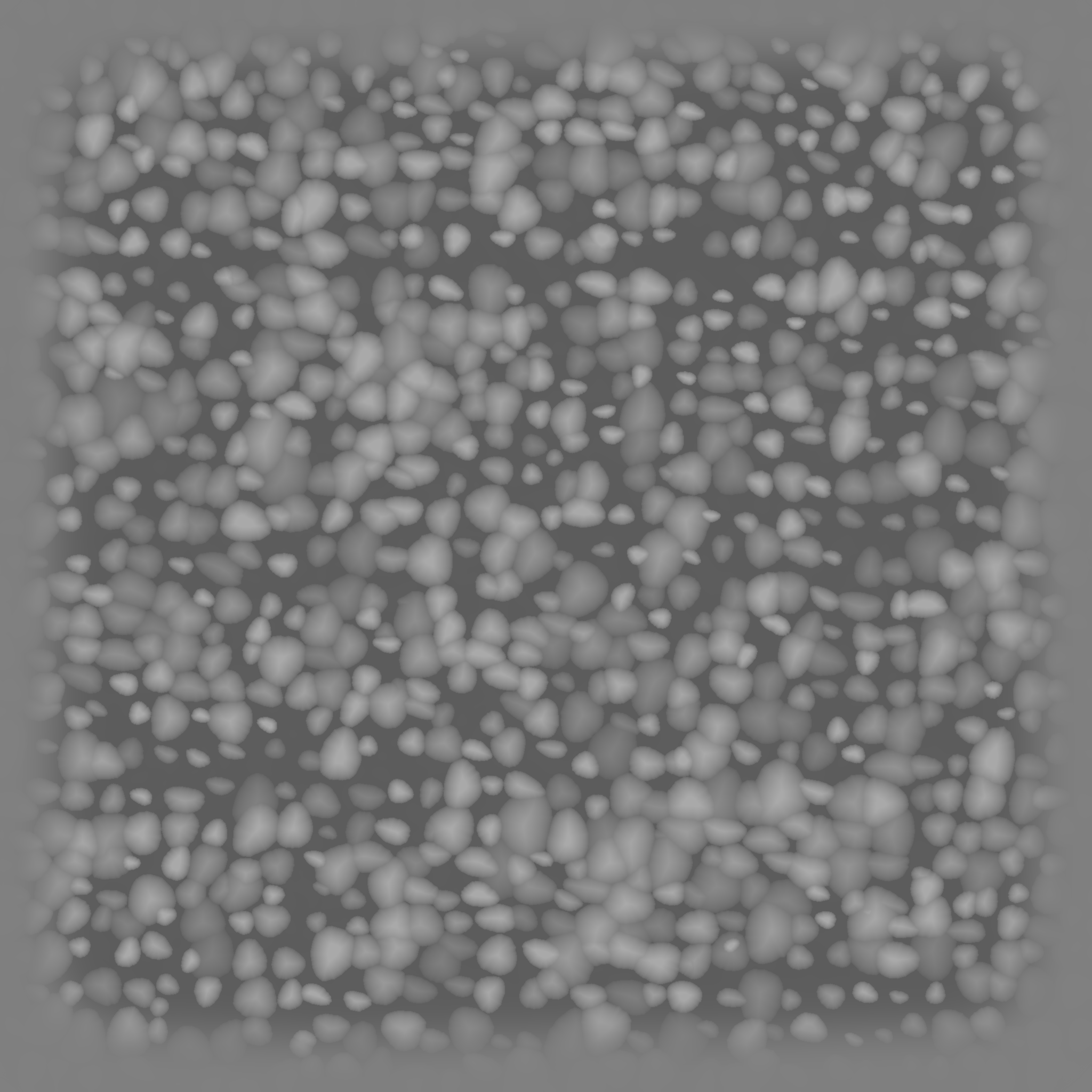
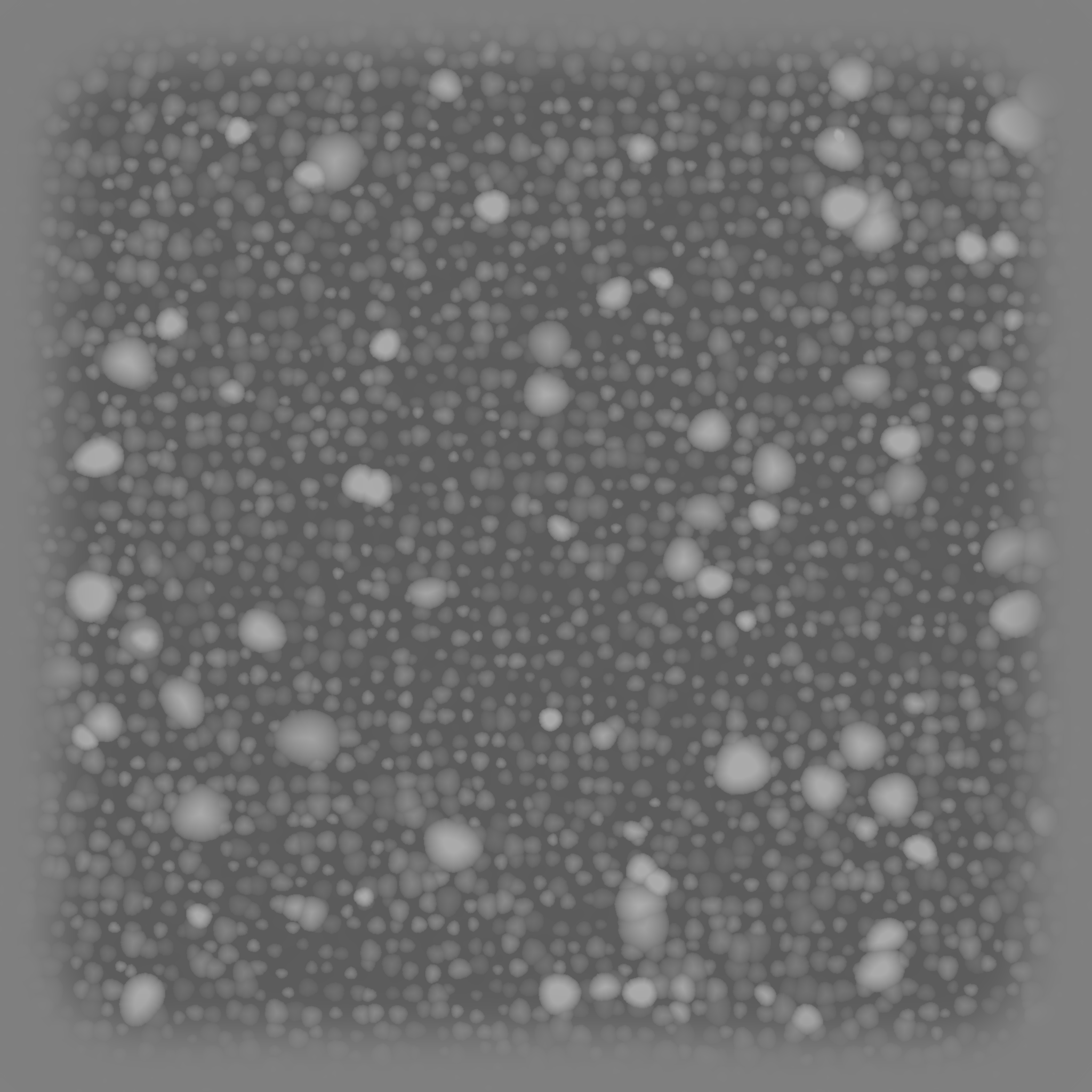
这套 alpha 是按红鬣蜥侧身、头部、背脊、腹部、前肢和尾巴的皮肤结构重新整理的。制作时参考了 ZBrush SkinKitMaps 的灰度逻辑:中灰底、软边 patch、暗沟槽、亮鳞冠,避免黑底白点那种太硬的 mask 感。

查看全部预览 百度网盘下载
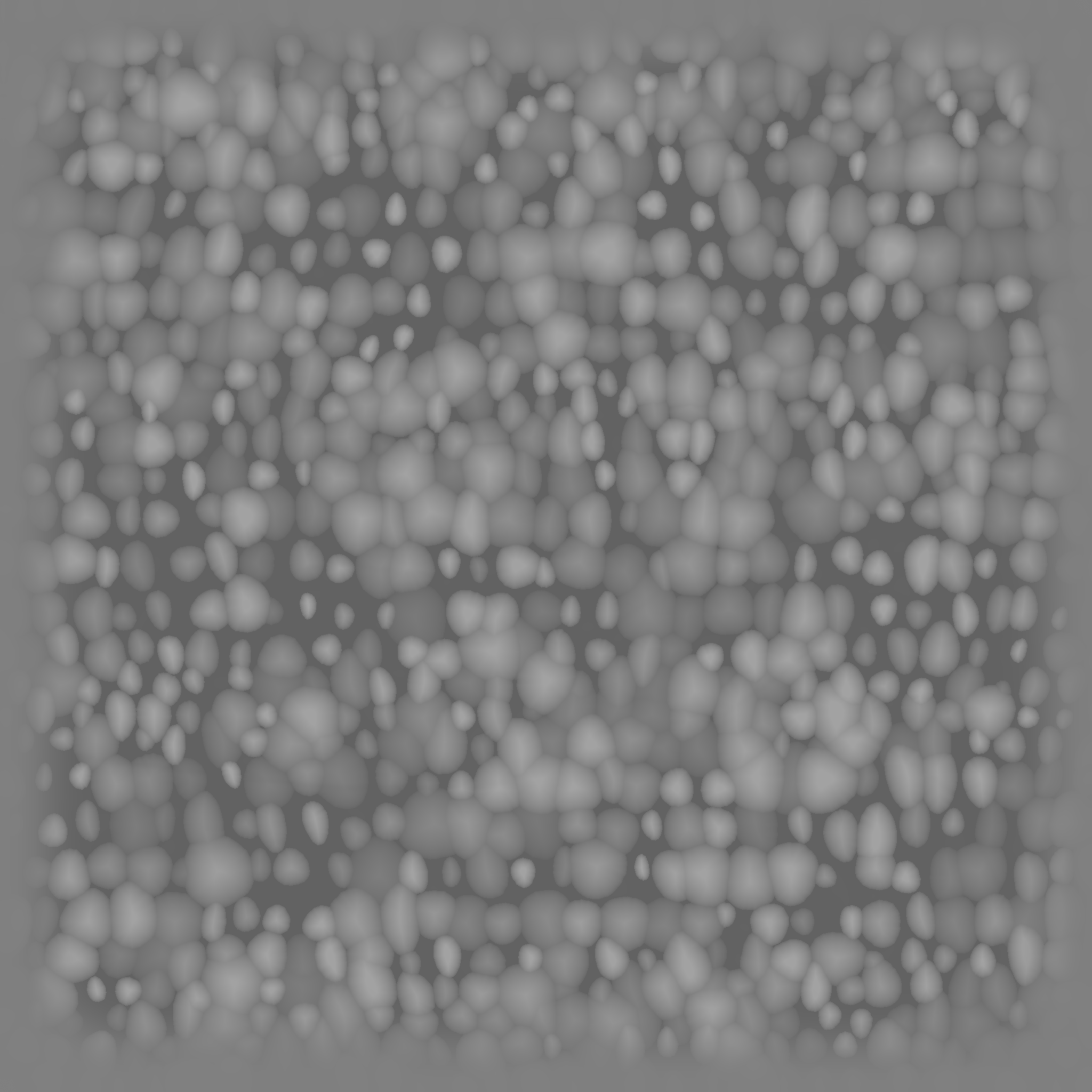
头部 3 张

头顶盾片、眉颈黑色结节、脸颊和下颚椭圆鳞片。

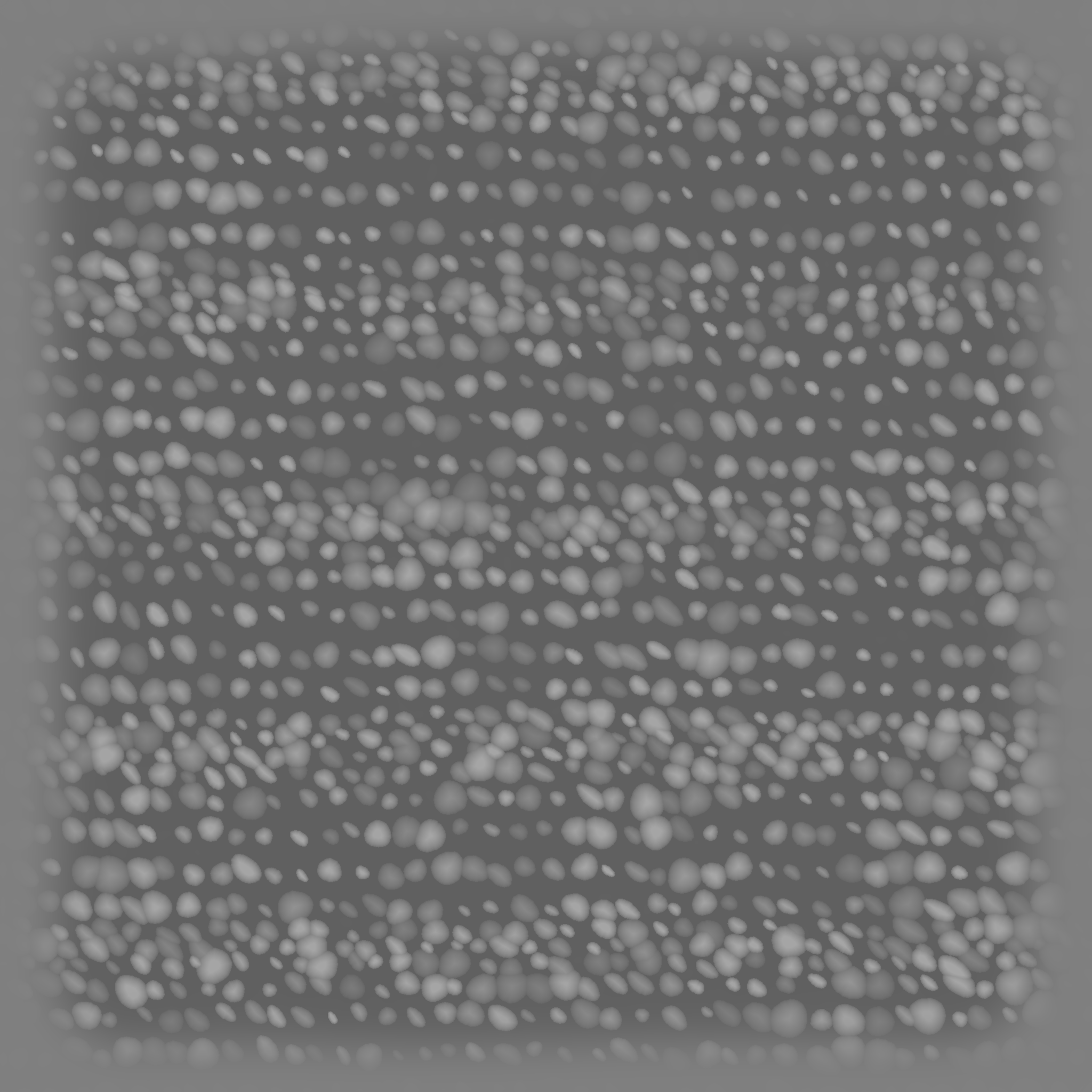
身体 3 张

颈肩结节、侧身细密圆鳞、背脊刺基底。

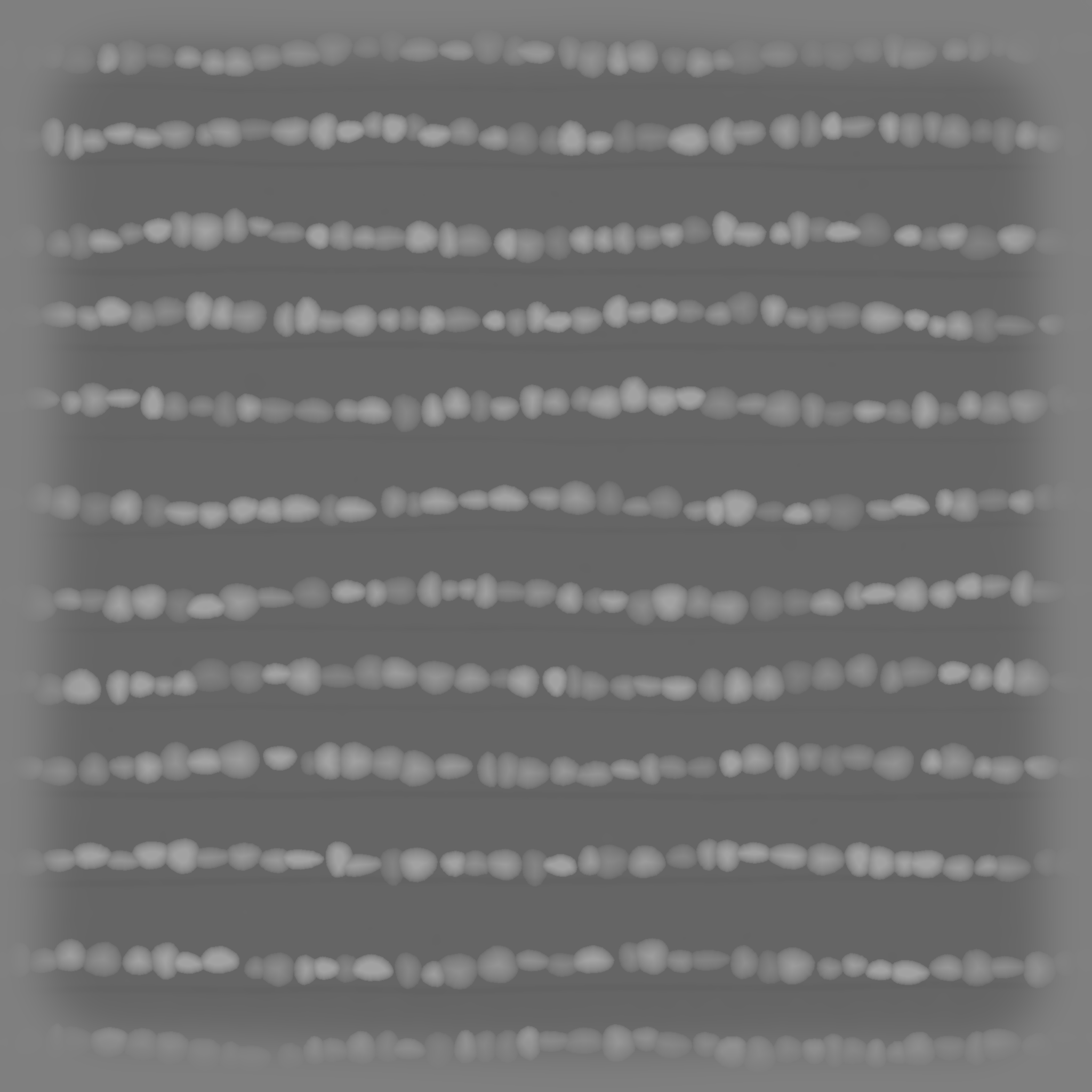
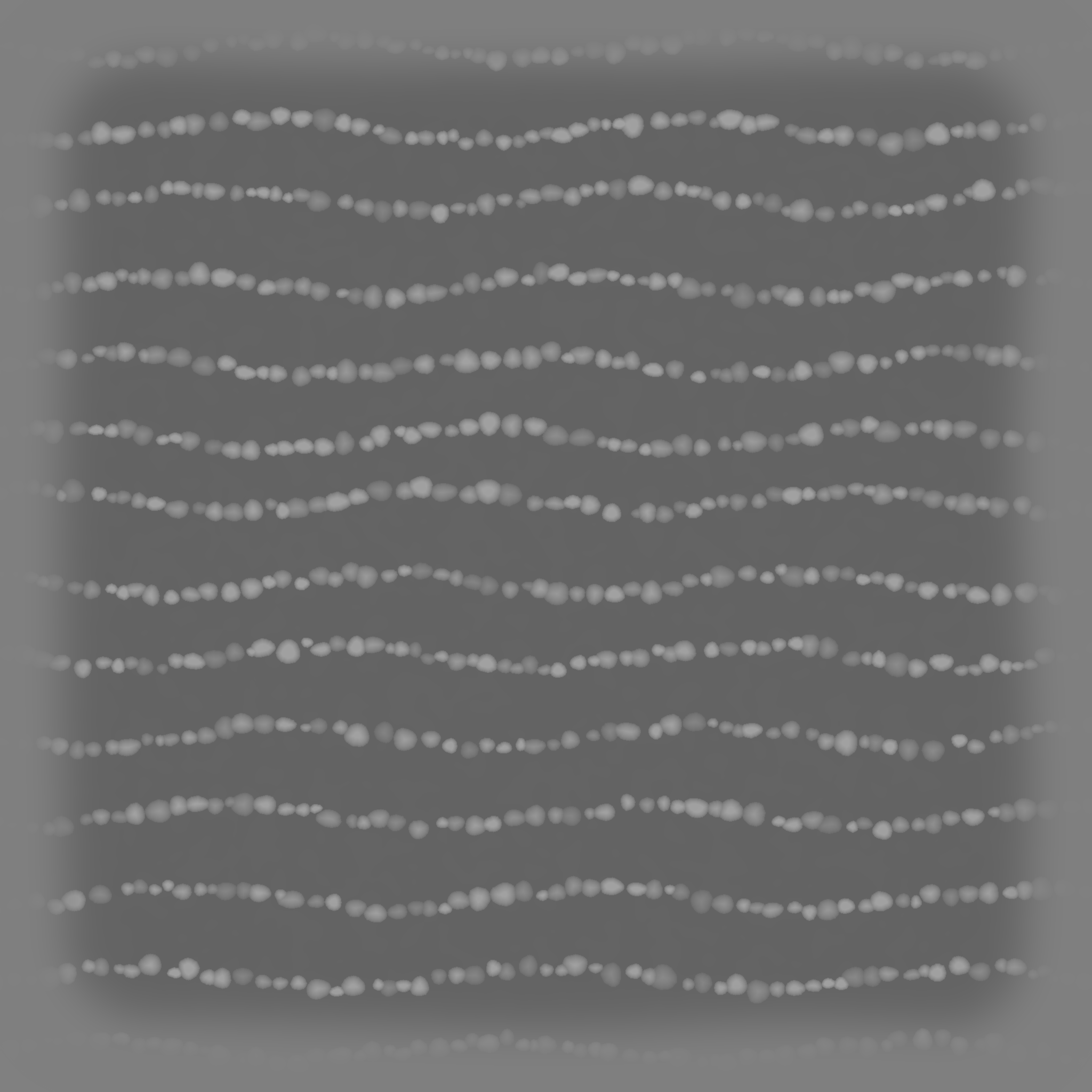
腹部 / 四肢 / 尾巴 4 张

腹喉软排鳞、前肢菱形排鳞、尾巴环带鳞、脚趾关节珠状鳞。

Free ZBrush Alpha

红鬣蜥皮肤 Alpha:按解剖区域拆分的 10 张免费资源

回到个人资源分享

这套资源是我按红鬣蜥的皮肤结构做的一套 ZBrush alpha。它不是从商业参考图里抠出来的,而是重新抓取皮肤特征后做成可雕刻的灰度高度图。适合用在角色生物、蜥蜴、龙类、爬行动物怪物、皮肤细节练习和作品集 sculpt breakdown 里。

百度网盘下载完整包 提取码:qnbm
Red iguana anatomy alpha contact sheet
总览:头部、身体、腹部、四肢、尾巴和脚趾关节的 10 张红鬣蜥皮肤 alpha。

为什么按部位拆

红鬣蜥的皮肤不是一种鳞片铺满全身。头部有大块盾片和黑色结节,身体侧面是密集小圆鳞,背脊附近有刺基底,腹部和喉袋更软、更有行列感,前肢和尾巴又有自己的流向。

ZBrush 使用建议

用 Alpha > Import 导入 TIFF,Standard 或 Layer Brush 都可以。微鳞建议低 Z Intensity;结节、头部盾片和背脊刺基底可以稍高。若整体抬升太多,把 Alpha MidValue 调到 50 左右。

Head crown shield mosaic alpha preview
RIH01 头顶盾片
Brow neck raised knobs alpha preview
RIH02 眉颈结节
Cheek jaw oval plates alpha preview
RIH03 脸颊下颚椭圆鳞
Neck shoulder tubercles alpha preview
RIB01 颈肩黑色结节
Torso organized pebble scales alpha preview
RIB02 身体细密圆鳞
Dorsal crest spike bases alpha preview
RIB03 背脊刺基底
Belly throat soft row scales alpha preview
RIA01 腹部喉袋软排鳞
Foreleg diamond scale rows alpha preview
RIL01 前肢菱形排鳞
Tail ring and band scales alpha preview
RIT01 尾巴环带鳞
Toe knuckle bead rows alpha preview
RIL02 脚趾关节珠状鳞
Safe candidate

Maya scripts and mini tools

Free utility scripts, small workflow tools, install notes, and demo files made by Bruce.

  • Python / MEL snippets
  • Scene cleanup helpers
  • Tool documentation PDFs
View details
Needs ownership check

ZBrush practice files

Brush tests, sculpting notes, practice meshes, and class demo fragments that are fully original.

  • Practice ZTL / OBJ files
  • Sculpting process notes
  • Personal study examples
View details
Safe candidate

Pipeline notes and checklists

Free text-based production checklists for topology, UVs, hair cards, naming, and handoff.

  • Topology checklist
  • UV / texture handoff notes
  • Naming convention templates
View details
Do not publish first

Reference images and asset packs

Downloaded references, commercial models, textures, brushes, fonts, and course files require explicit licenses before sharing.

  • Commercial material libraries
  • Third-party course files
  • Software installers or plug-ins
View details
01

Maya scripts and tools

Original free Maya scripts, setup notes, and example scene files.

Free Maya script pack

For small Python / MEL helpers that can be freely shared after source confirmation.

Original / shareable Baidu link pending
Link pending
Tool install notes

PDF or text notes explaining installation, usage, and Maya version compatibility.

Original / shareable Baidu link pending
Link pending
02

ZBrush learning files

Practice models, sculpting notes, and self-made classroom demo fragments.

Practice model files

ZTL / OBJ practice assets that are fully created by you and safe to redistribute.

Ownership check first Baidu link pending
Link pending
Sculpting process notes

Markdown, PDF, or image notes summarizing blocking, detailing, and presentation steps.

Original / shareable Baidu link pending
Link pending
03

Pipeline notes and checklists

Text resources are usually safest to share when written by you.

Production checklists

Topology, UV, texture, naming, hair-card, and delivery checklists.

Original / shareable Baidu link pending
Link pending
Naming templates

Scene naming templates, folder structures, and handoff naming examples.

Original / shareable Baidu link pending
Link pending
04

Reference and asset packs

This category is separated because many files may involve third-party copyright.

Original reference packs

Only self-shot photos, self-made renders, or explicitly licensed reference packs should be shared.

Ownership check first Baidu link pending
Link pending
Do not share without license

Commercial model packs, paid courses, software installers, cracked plug-ins, fonts, textures, and downloaded brush packs.

Do not publish first

Professional Profile

Senior 3D Character Artist in Montreal

Realistic character assets, ZBrush sculpting, real-time hair and hair cards, Unreal Engine production, and collaboration with animation and technical art teams.

ZBrush Unreal Engine Substance Painter Real-time Hair Maya Python Game Production

Game Projects

Game projects and production experience

Personal Astrocade game prototypes first, followed by studio production projects and portfolio R&D.

Selected ArtStation Work

Selected work

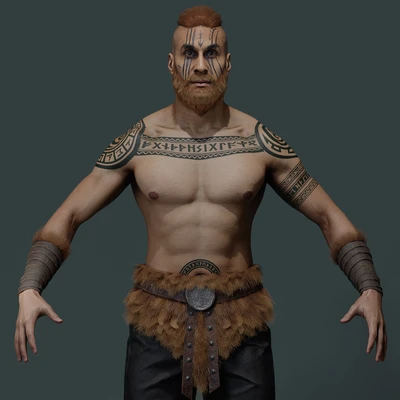
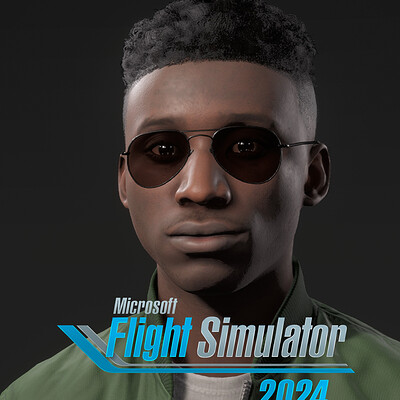
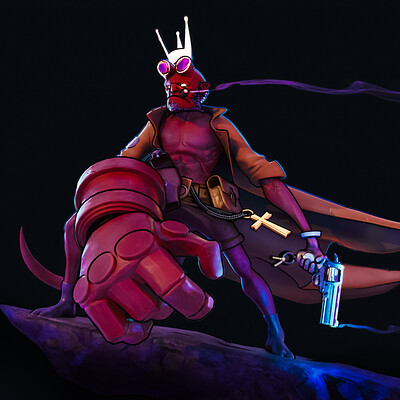
Viking warrior Microsoft Flight Simulator 2024 character hair and outfit The Others - seven sins

Character Art / Hair / Outfit / Creature

A focused portfolio for character presentation and production breakdowns

Cards now open full case-study views with large project images, notes, software tags, and original source links.

Open ArtStation
Modelers' Stories podcast cover

Podcast / Apple Podcasts / NetEase Cloud Music / Ximalaya

Modelers' Stories

A long-running Chinese podcast about 3D art, game production, creative industries, AI, culture, and working across countries.

85 episodes
2019-2026 years active

Contact

A dedicated home for ArtStation work, tools, games, and production notes

This site now connects portfolio pieces, personal games, videos, podcast episodes, and external professional profiles.

Course Store

Online course products

Chinese long-form class packages with recorded lessons, case files, reference packs, and Baidu Netdisk delivery after purchase.

Paid Course

zbrush匠人 Online Course Phase 01

Xianyu delivery

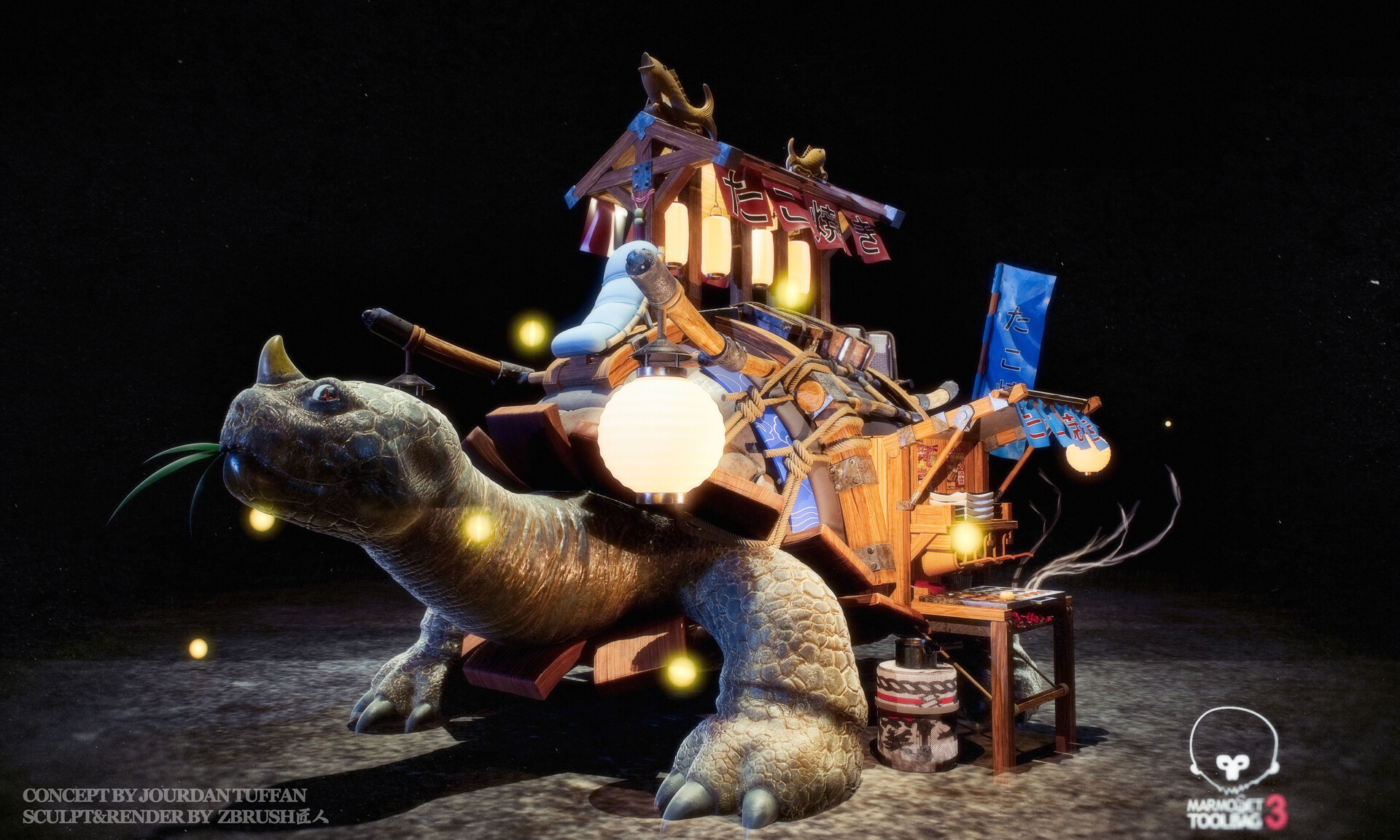
Includes the turtle scene, shield case, two case lesson recordings, and class opening notes.

¥39.9 Chinese course package. Baidu Netdisk link is sent after purchase.

Netdisk links are not public on the website. Buyers receive the download information after payment.

zbrush匠人 online course phase 01 product preview
Course case preview Class case render and course package preview.

Paid Course

zbrush匠人 Online Course Phase 02

Xianyu delivery

A longer course package with week-by-week case recordings, case files, weapon references, and class opening material.

¥39.9 Chinese course package. Baidu Netdisk link is sent after purchase.

Netdisk links are not public on the website. Buyers receive the download information after payment.

zbrush匠人 online course phase 02 product preview
Course case preview Class case render and course package preview.

Community Wall

Guest notes and suggestions

Leave a quick idea for future tutorials, plug-ins, workflow notes, or portfolio breakdowns.

Notes are saved in this browser for now. Public cross-device comments can be added later with Cloudflare storage.

Tutorial idea

More short Maya tool demos with before/after scenes.

Pipeline

Share ZBrush to Maya production cleanup notes.

Plug-in request

A hair-card batch export helper would be useful.